Network Time Traveler🔗
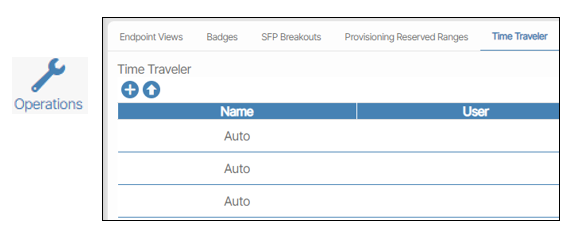
Network Time Traveler is a tool to create and restore the intended configured state of the network. Time Traveler exercises version control on the configured objects in Everon™ Network Solutions. Device configurations are derived from these objects, therefore the entire network configuration can be recalculated when the Time Traveler function is used. Everon™ Network Solutions does not backup the actual device configurations.
Manually Create Backup🔗
- Click the Operations (
 ) icon from the world view.
 - In the tabs that appears select Time Traveler
 .
. - Click the Create a New Network Time Traveler Backup button creates a new backup.

Revert State Using Time Traveler🔗
- Click the Operations () icon from the world view.
- In the tabs that appears select Time Traveler .
- Determine the the backup to revert to (Select by date).
- Click the corresponding Restore Network Time Traveler Backup icon (
 ) .
) .
Time Traveler Actions🔗
| Icon | Name | Function |
|---|---|---|
 |
Compare Current | Compares the state of the backup to the current network state. |
 |
Download | Download the backup. |
 |
Compare | Compare to previous backup. |
 |
Delete | Delete the backup. |
 |
Activate | Activate the backup. |
 |
Edit Note | Write and/or view note of backup. |